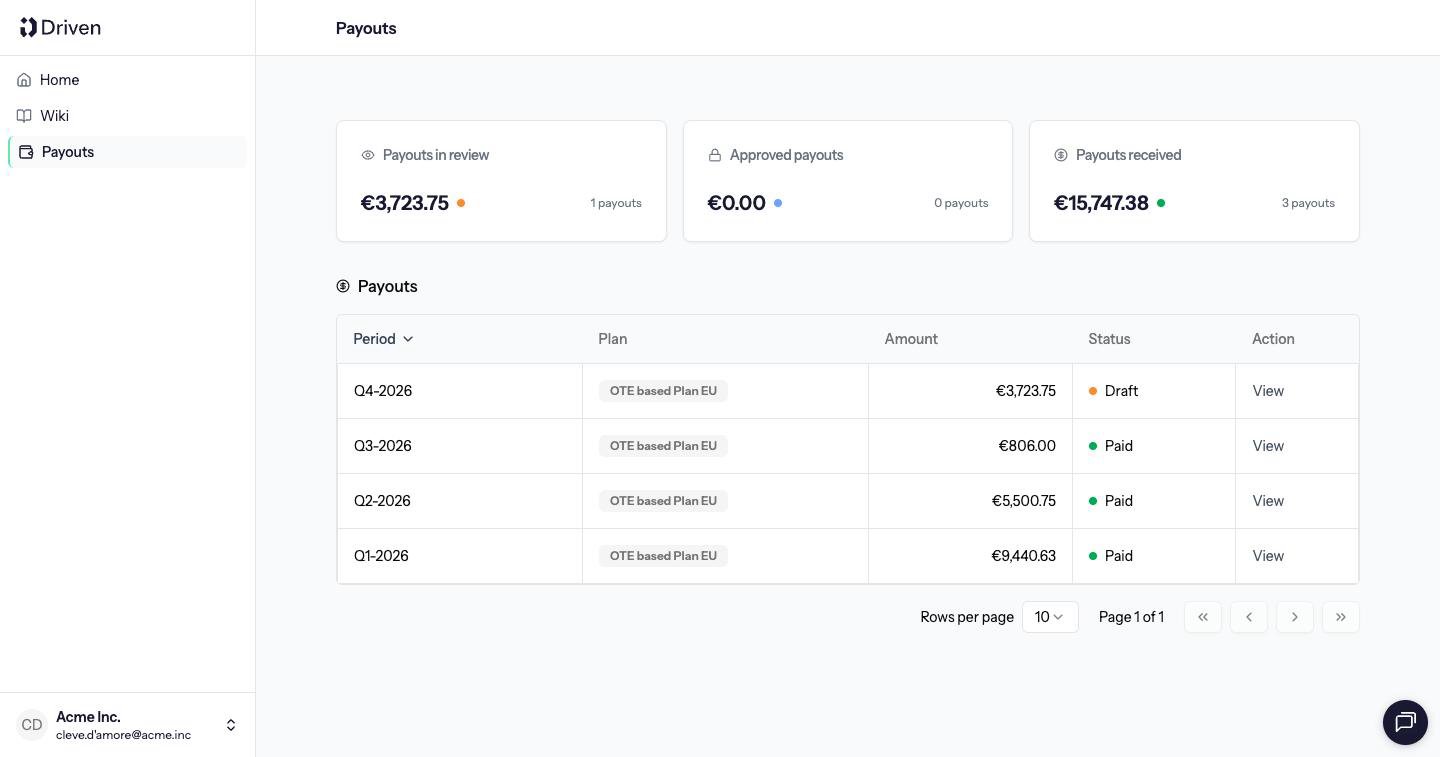
Open Payouts. Three cards summarize your own payouts: Payouts in review, Approved payouts and Payouts received. The table has Period, Plan, Amount, Status and View. There are no manager tabs.
View opens the payout. You see the status badge, the compensation breakdown and the deals that counted. Comment is the only action. You cannot approve a payout, mark it paid, or add an item.
How that status moves, and why an approved amount stays put, is in How approval works and What locking means.
Last modified on October 27, 2026