

1
Filter the list
Choose the status tab, and set the date range and search you want included.
2
Open the export
Click Export CSV. The dialog Export payouts as CSV says The following filters will be applied to the export. It lists Status, From, To, Search and how many payouts match.
3
Choose the grain
Granularity is Payout, Monthly, Quarterly or Yearly. Payout is one row per payout. The other options split each payout across calendar periods by the date each deal counts, without recalculating commission.
4
Download
Click Download. The file is named
payouts- followed by the time of the export.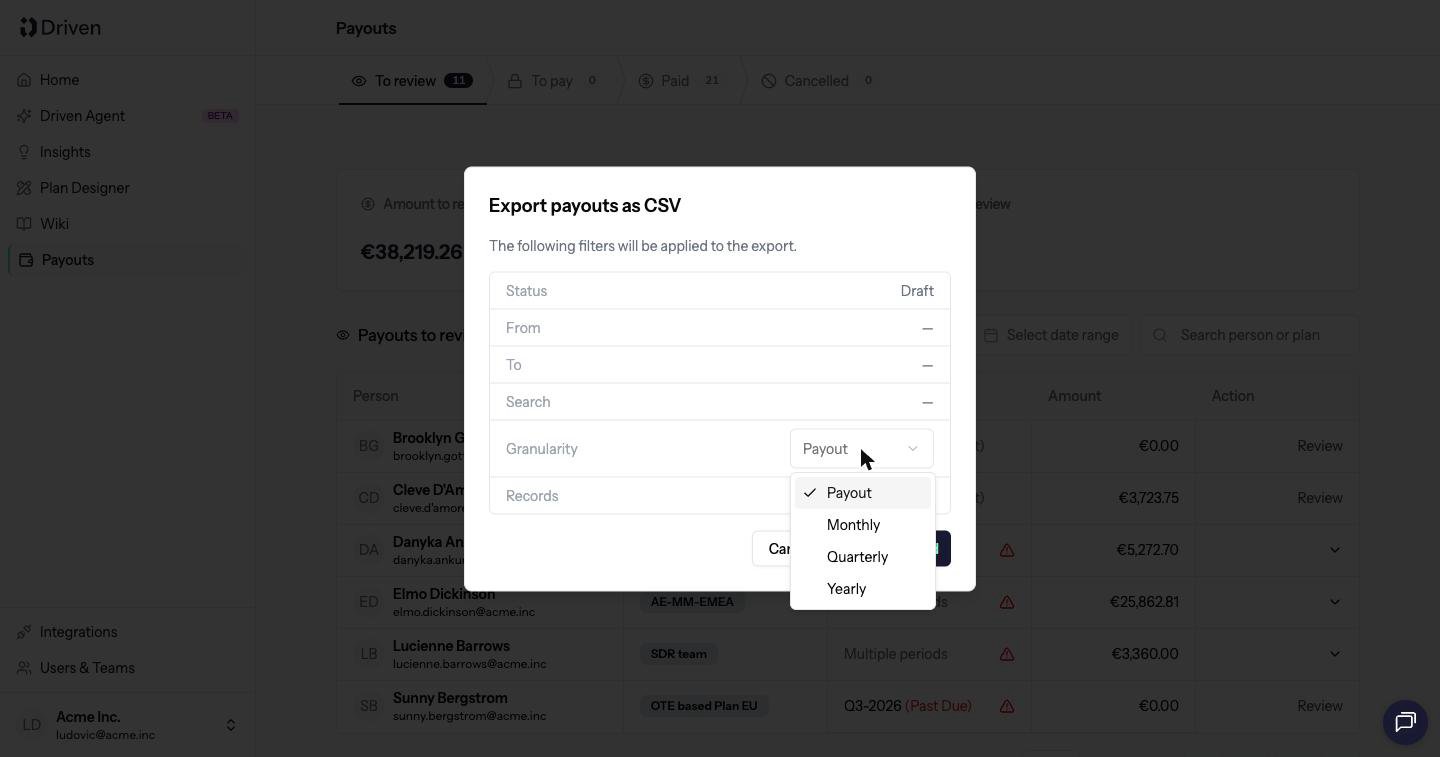
Columns
Every export includes Name, Email, Plan, Period and Status. Payout value is in the plan currency. When the company’s reporting currency is different, a second Payout value column is added in that currency. Then each compensation adds:- Earning, in the plan currency, and in the reporting currency when the two differ
- Attainment. For a currency KPI the header includes the currency. For a count KPI it does not.
New business — Earning (EUR). Attainment is empty when the compensation has no quota.