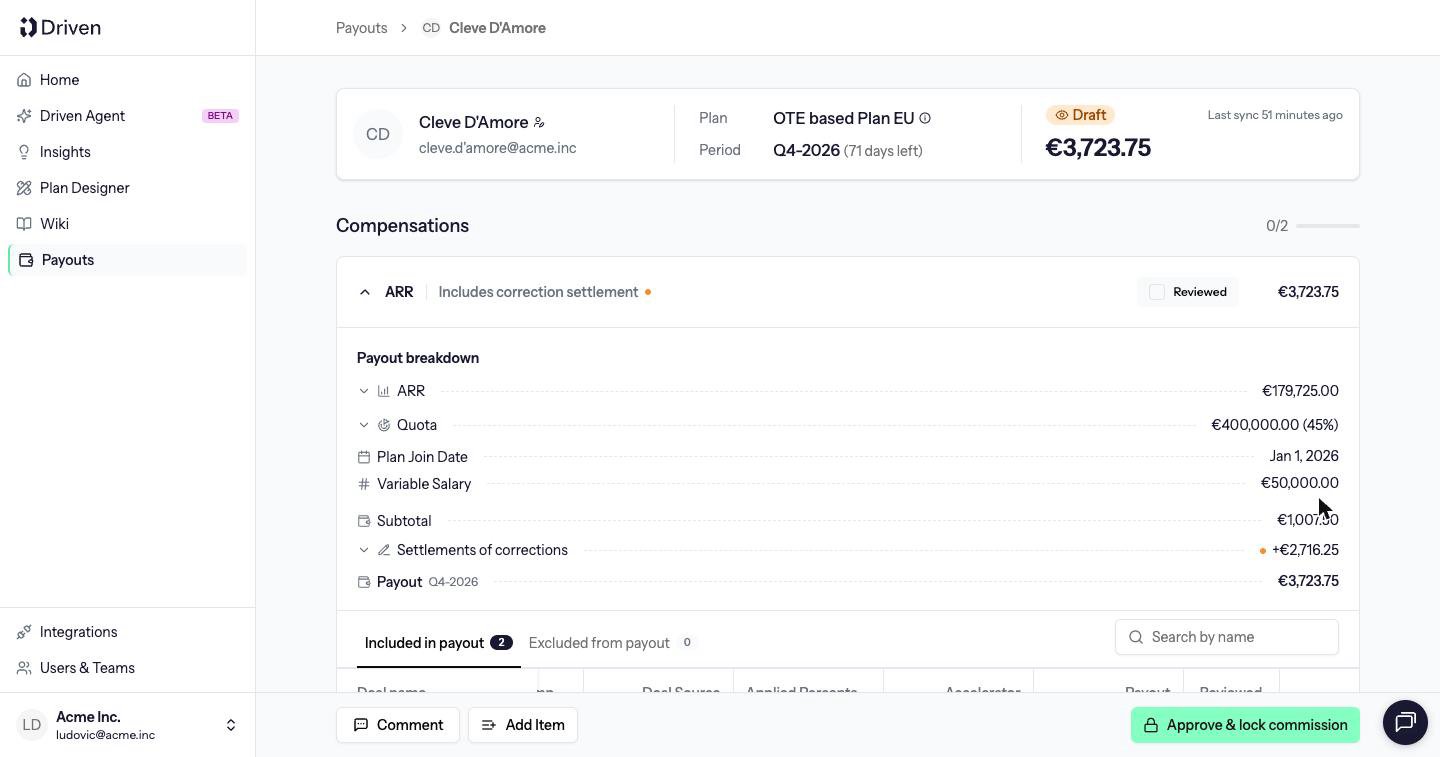
Approve & lock commission makes the payout a record of what was agreed. Approved, paid and cancelled payouts are all locked. Draft payouts are not. On a draft, that button sits with Comment and Add Item.
Locking is what lets finance and an auditor open last quarter and see the same numbers that were approved, even if the CRM or the plan has changed since.
What is frozen
At approval, Driven stores a snapshot of everything that went into the total:
- The deals that counted, the CRM values on them, and any deals you had excluded
- The result of each formula, per deal and for the compensation
- The KPI the compensation was using
- The quotas, including roll-up quotas
- The user variables, manual KPI values and Plan join date the formulas used
- The columns shown in the calculation table
- Any corrections this payout settles
The payout total is fixed at this point, in the plan currency and in the company reporting currency.
What can still change outside the payout
These do not change a locked payout:
- A deal amount, stage, owner or close date edited in the CRM
- A new deal that would have matched the filter
- A published change to a formula, KPI, filter or quota
- A new base salary or other user variable
- A new Plan join date
Try to edit the payout and Driven refuses: This payout is locked because it is approved, paid or cancelled. Only draft payouts can be modified.
Comments still work. Commenting does not change the amount.
If a published change should have changed what was paid, that difference is a correction on a later payout. The locked payout stays as it was. See Corrections.
Back to draft
Back to draft is only on an Approved payout. It deletes the snapshot and recalculates from current CRM data and current rules. A Paid payout stays locked.
Use it when the approval was premature, not as a way to refresh a payout you have already recorded as paid. Last modified on October 27, 2026