

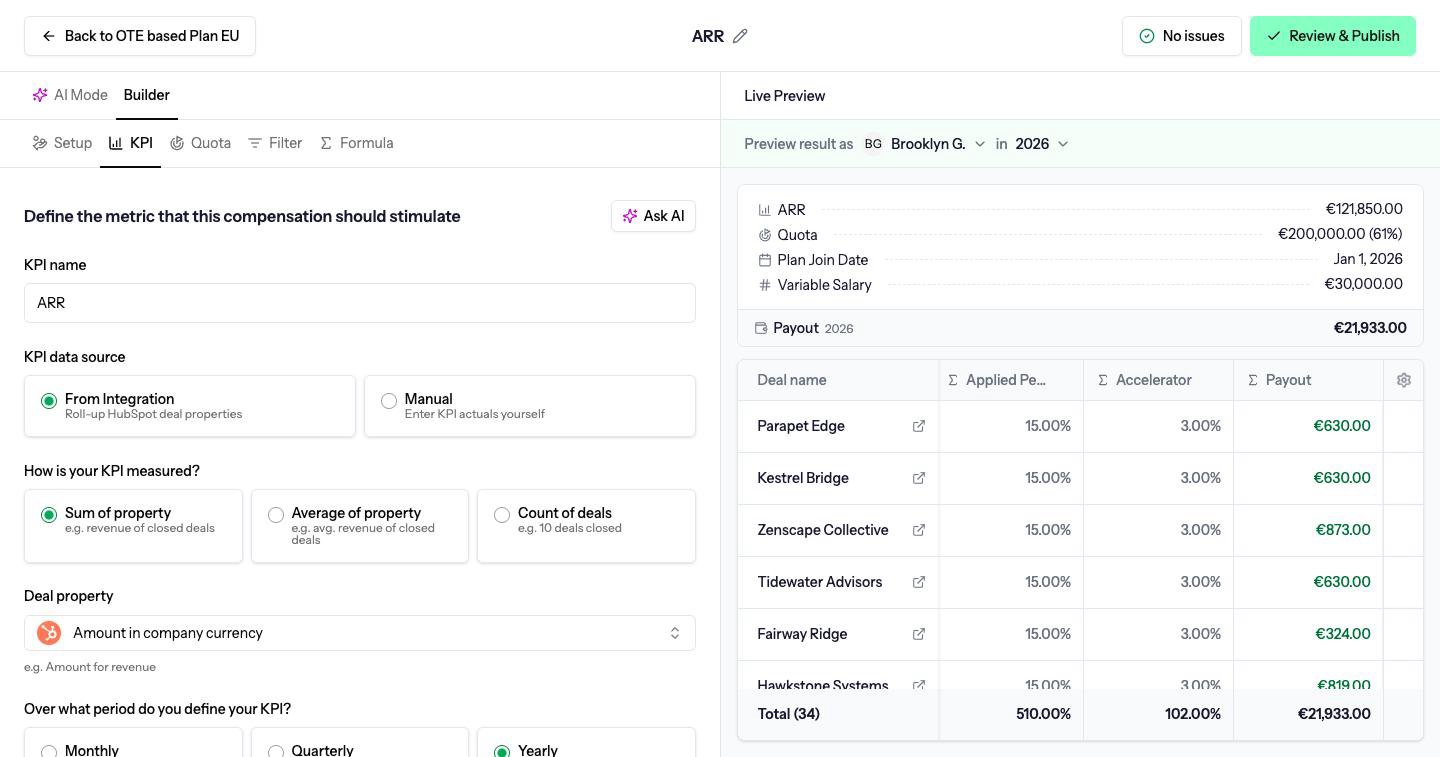
Where the number comes from
KPI data source has two choices:- From Integration reads the number from your CRM. The hint under it names the connected CRM, for example HubSpot deal properties.
- Manual means you type the actuals yourself. See Manual KPIs.
How it is measured
How is your KPI measured? is one of:
For a sum or an average, pick the Deal property. Only number and currency fields are listed. Choosing amount also adds that field as a column in the preview.
What is the unit of this KPI? is Currency or Absolute. Count of deals is always absolute, so the unit question is hidden.
Attributes to company revenue appears for a currency sum. Turn it on when this KPI is revenue the company should report, such as the sum of closed ARR. Leave it off for activity metrics that happen to be stored as currency.
The KPI period
Over what period do you define your KPI? is Monthly, Quarterly or Yearly. This is the compensation period: the window a quota and an attainment figure belong to. It is separate from how often people are paid. A quarterly KPI can still be paid every month. See Payout period and compensation period. Name the KPI in KPI name. The name is what people see on payouts and in formulas.Which deals count
The Filter tab is a set of rules. A deal counts only when it matches all of them.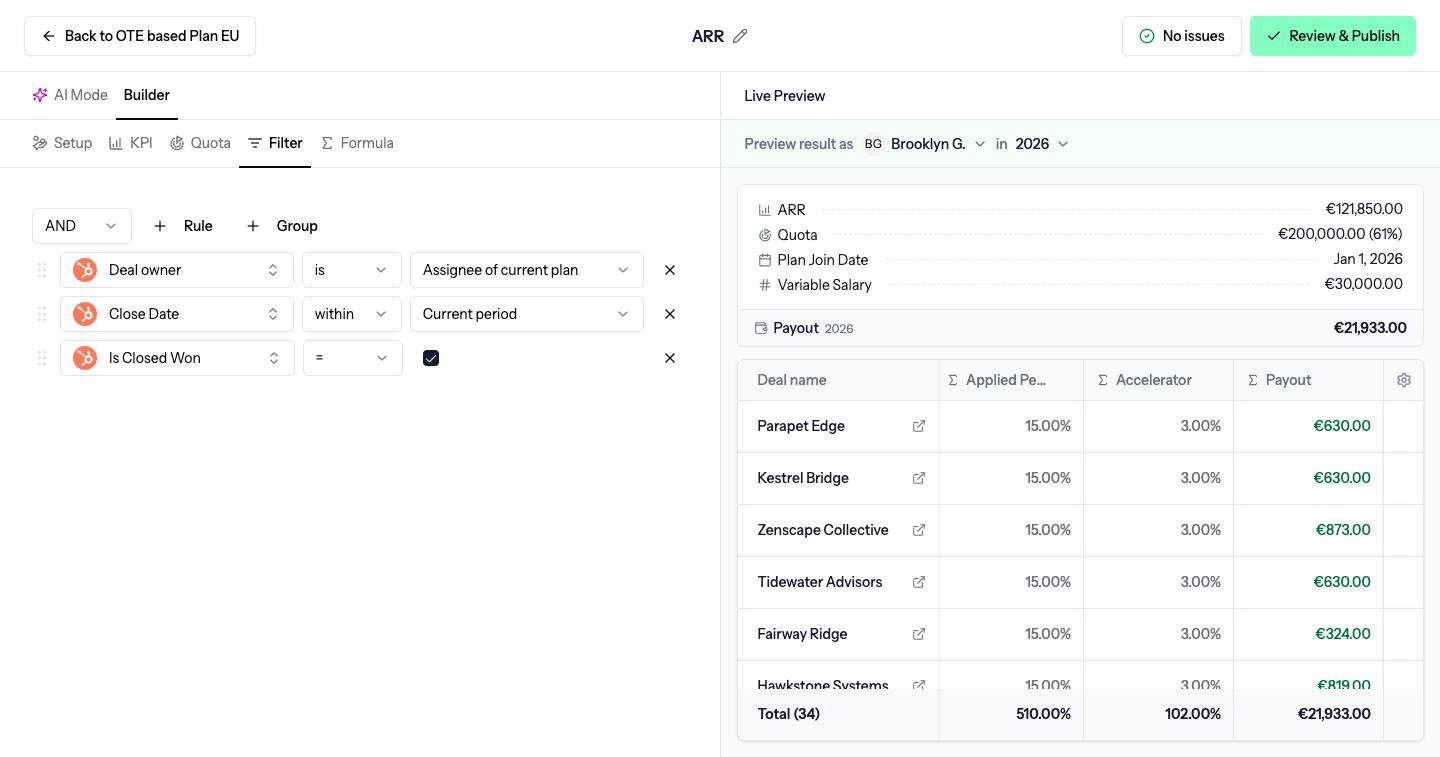
- Assignee of current plan, the person the calculation is for
- Plan assignees, anyone on the plan
- Specific user(s)
- Specific team(s)
- Managed members of team, the people a manager looks after, used with roll-up quotas