

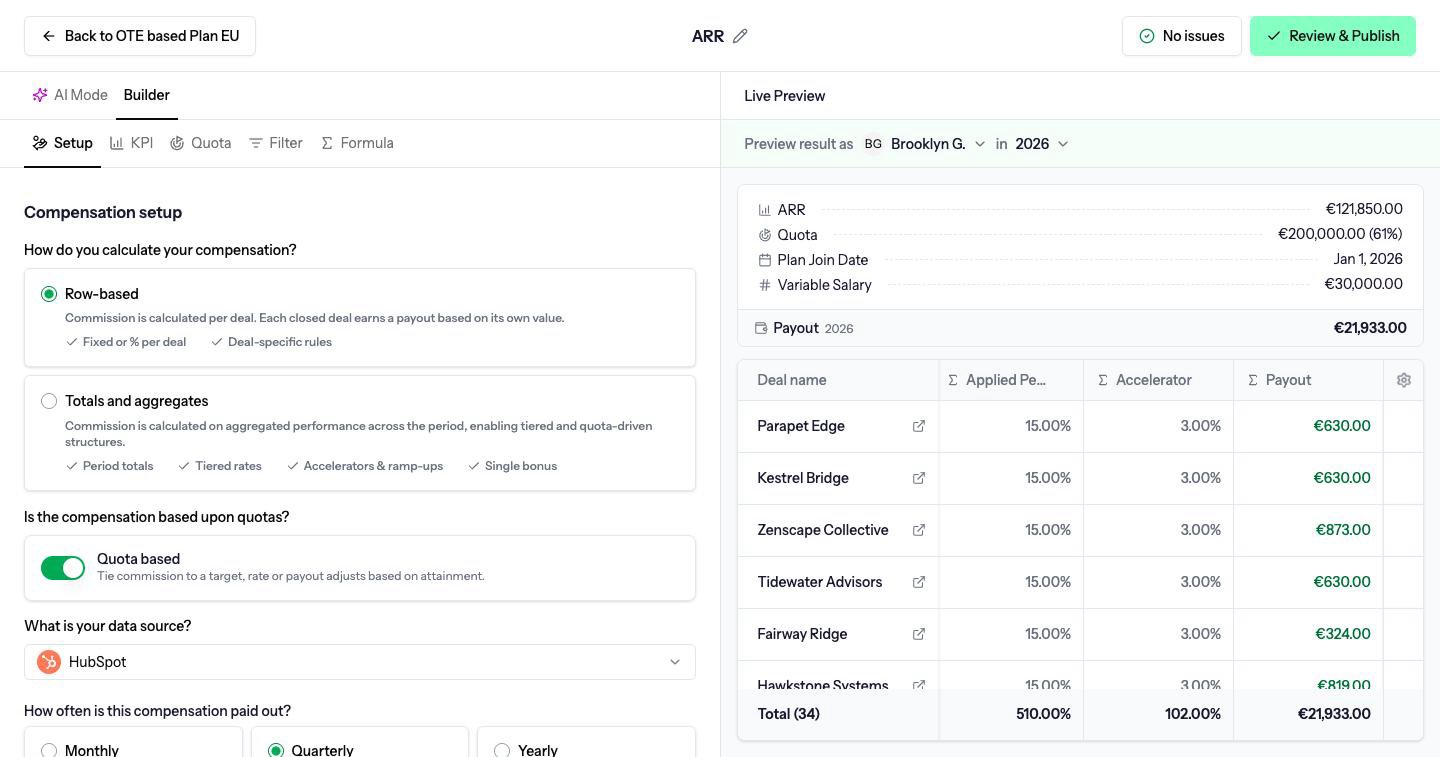
Row-based
Commission is calculated per deal. Each deal that passes the filter earns its own amount, and the payout is the sum of those deals. Use row-based when the rate depends on the deal itself: a flat fee per deal, or a percentage of that deal’s value. Example. The formula is 10% of the deal amount.
In the formula editor, the Deal chips are the fields on each deal, such as amount or stage.
Totals and aggregates
Commission is calculated once, on the period as a whole. The formula sees totals, not one deal at a time. This is how tiered rates, accelerators and a single bonus work. Example. The same two deals close, so the period total is €70,000. The formula pays 5% up to €100,000 and 8% above that. €70,000 is under €100,000, so the payout is 5% × €70,000 = €3,500. No deal has its own commission. The €3,500 belongs to the period. In the formula editor, the Deal row says Not available for period-based compensations. Use Total chips, the quota Target, and attainment instead.Switching
You can change method on Setup. Switching from row-based to totals, when the formula uses per-deal values, opens Switch to totals and aggregates?. Per-deal values cannot be used in a totals compensation, so Switch and clear formulas removes the formulas you have written. Other settings stay.A totals compensation can still list the deals that made up the total. You just cannot pay a different rate on each row.