

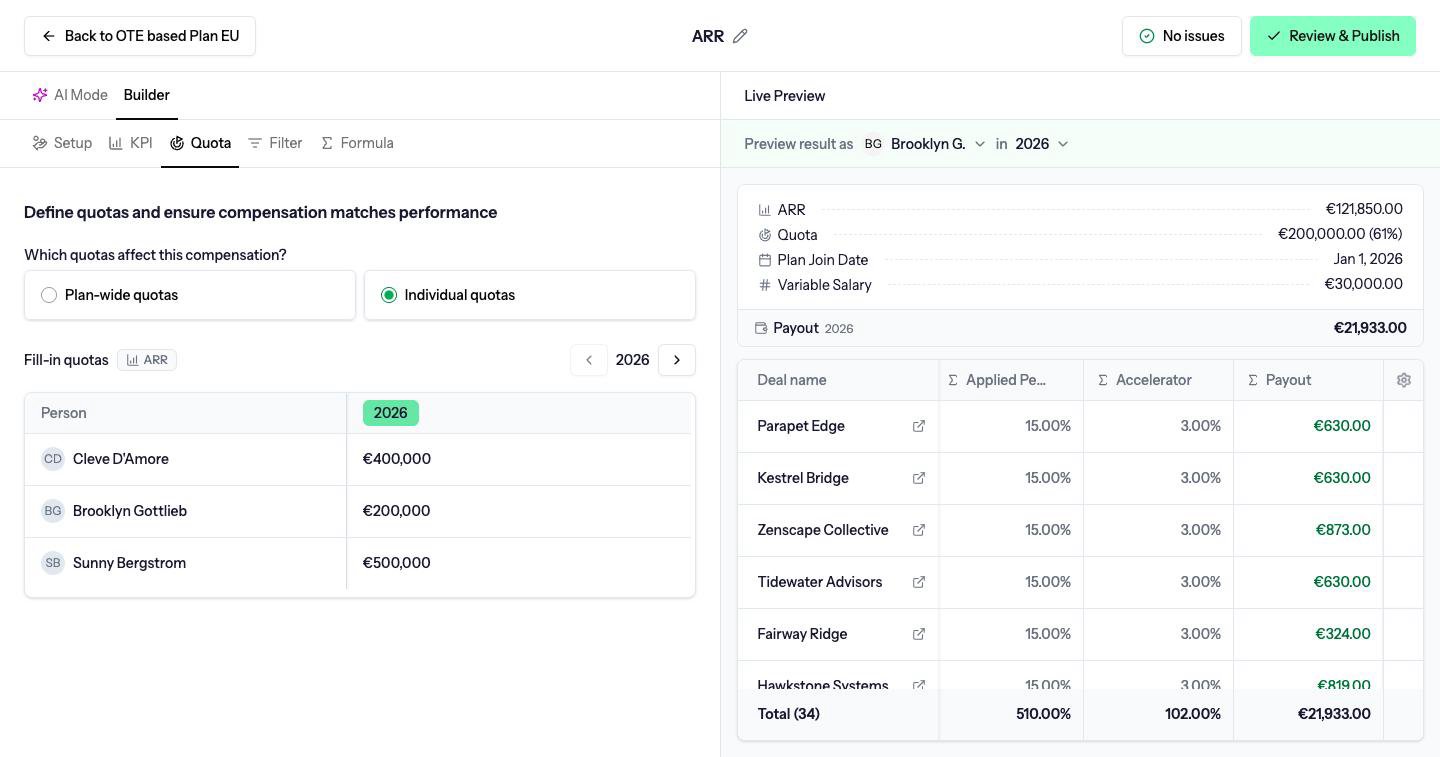
Who the quota belongs to
Which quotas affect this compensation? is one of three modes.Plan-wide quotas
One row of values, the same quota for every person on the plan. Driven does not divide it by headcount. If the plan-wide quota is €100,000, every person is measured against €100,000. Adding a person copies the current plan-wide quota onto them. Removing the last person removes the quota schedule.Individual quotas
One quota per person. The table has a Person column. Use this when people carry different targets.Roll up quotas
One row per manager, with a Person column and a Team column. The manager’s quota is the combined quota of the people they manage on that team. Those people need their own quotas on a compensation that measures the same KPI. Only someone who manages at least one person on the team can be selected. See Teams. Turning this mode on can ask Keep your deal owner filter?. Enable roll-up quotas keeps the compensation, and the filter can be set to Managed members of team so the manager is paid on the deals of the people they manage.Entering values
Fill-in quotas is a table, one column per compensation period, with a control to move between fiscal years. Enter the quota in the KPI’s unit: currency for a revenue KPI, a count for a deal-count KPI. A quota is stored once per compensation period per person. A monthly figure on a quarterly compensation is not a separate quota. The quarterly number is the quota.People who join mid-period
The quota a person is measured against covers the part of the period after their Plan join date.- Monthly compensations. The month they join is reduced to the days from the join date to the end of the month. Someone who joins on 16 March, with a €10,000 March quota, is measured against about half of it.
- Quarterly and yearly compensations. The start snaps to the beginning of the quarter they joined. Joining on 16 March still counts the whole quarter. On a yearly compensation, quarters before that one are left out.
Attainment
Attainment is performance divided by quota, with no cap.0.8 is 80%. 1.2 is 120%. A quota of zero gives no attainment percentage.
In a formula, use ATTAINMENT_PCT() rather than dividing the KPI by Target yourself. Target is the quota, and it is available as a chip when quotas are on.
Editing a quota after a payout is approved does not change that payout. The approved payout keeps the quota it was calculated with. See Locking.